element-2
element-1

ERP vs CRM: What Is the Difference and Which Do You Need?

erp vs crm difference

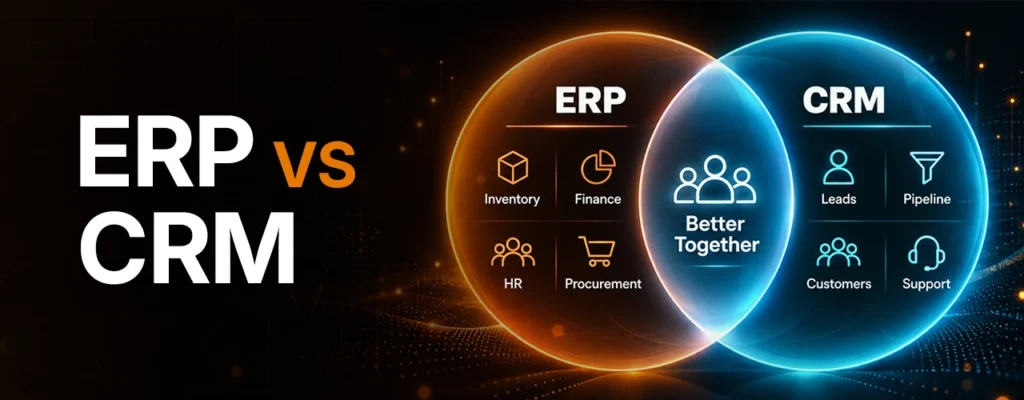
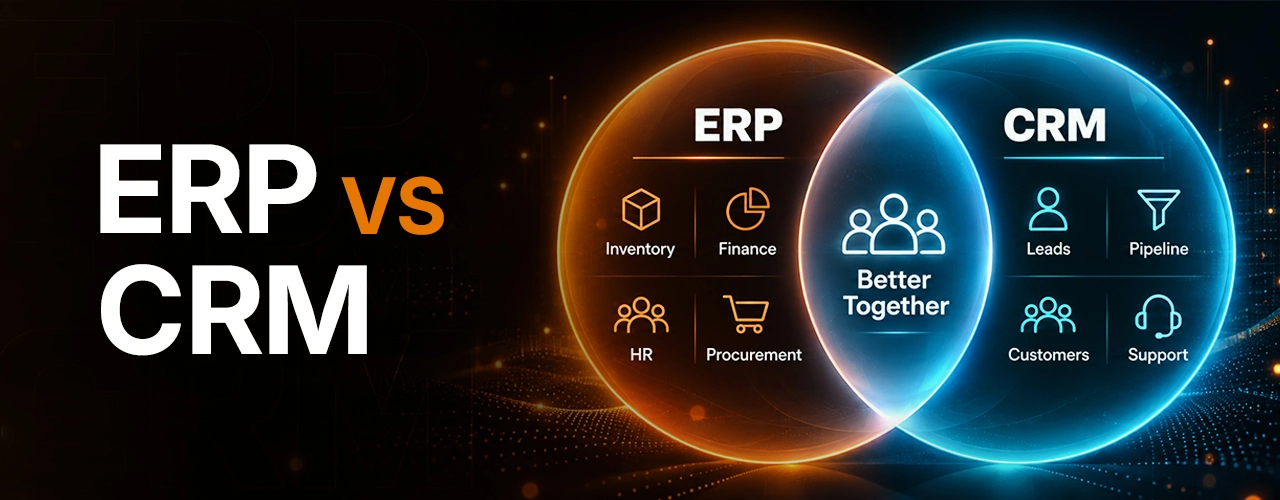
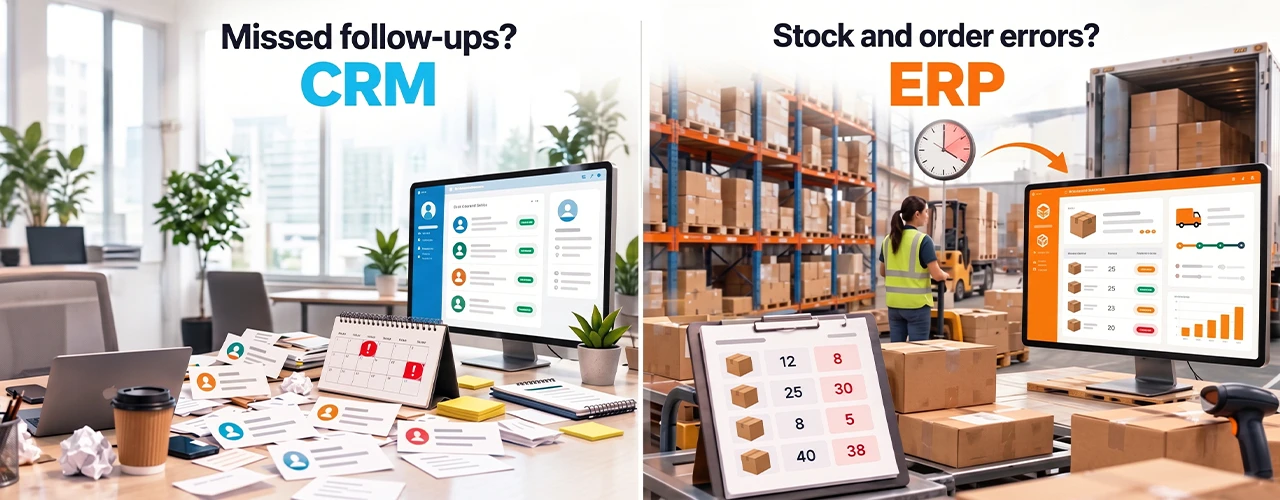
ERP vs CRM comes down to the work each system manages. Customer relationship management (CRM) software helps teams track prospects, sales conversations and customer service. Enterprise resource planning (ERP) software connects internal work such as purchasing, inventory, finance and fulfillment. A business may need either system first or both depending on where information gets lost and work slows down.

The decision matters because buying a broad platform will not fix a poorly defined process. Start with the work that is causing the most costly delays, then choose the system that can support it.

ERP vs CRM: The Key Differences

ERP vs CRM What Is the Difference and Which Do You Need

Area

ERP

CRM

Main purpose

Coordinate financial and operational work

Manage customer relationships and revenue opportunities

Typical users

Finance, operations, procurement, warehouse, production and HR teams

Sales, marketing, account management and customer service teams

Core records

Orders, inventory, purchases, invoices, costs and resources

Contacts, accounts, leads, opportunities, interactions and cases

Questions it answers

Can we deliver this order, at what cost, and how will we account for it?

Who is the customer, what do they need, and what should happen next?

Common trigger

Disconnected transactions and weak operational visibility

Missed follow-ups and weak visibility into the customer journey

Industries

Useful across industries with complex operations, including distribution and manufacturing

Useful across industries with ongoing sales or service relationships

The boundary is not absolute. An ERP suite may contain customer management features, and a CRM may display order or billing information. Assess the workflows and depth of each feature rather than relying on the product label.
What is an ERP system?

An ERP system organizes the transactions and resources required to run a business. Depending on the product and modules selected, it can connect accounting, procurement, inventory, production, order management, supply chain and human resources. Teams can work from related records rather than reconciling separate spreadsheets at the end of the month.

Consider a distributor that accepts an order for 200 units. Its ERP can record the order, check available stock, trigger replenishment or a warehouse task, and pass the resulting transaction to invoicing. Each step still needs a responsible person and clear rules; the software gives those steps a shared record.

An ERP system is especially relevant when the same information must be entered several times, managers cannot trust inventory or margin figures, or orders routinely become difficult to fulfill. ERP modules vary, so a company should verify the exact functions it needs instead of assuming every product includes them.

Ready to Improve Your Business Processes?

Identify the right ERP, CRM, and automation approach based on your business needs.

What is a CRM system?

A CRM system organizes relationships and interactions with prospects and customers. Sales teams use it to track leads, opportunities, meetings, proposals and follow-ups. Marketing teams may use it to manage campaigns and audience information; service teams may use it to record cases and communication history. Available functions depend on the chosen product and plan.

For example, a commercial services firm receives inquiries through its website, referrals and phone calls. A CRM can assign each inquiry to an owner, record its next step and show which proposals are waiting for a decision. A manager can then review the pipeline without asking every salesperson for a separate update.

CRM is most useful when opportunities disappear between inboxes, customer history lives with individual employees, or teams cannot tell which sales activities are producing results. It does not automatically solve stock accuracy, accounting or production planning.

Which problem are you trying to solve?

Two businesses with the same number of employees can need very different software. A manufacturer with unreliable stock figures may be able to win orders but struggle to plan production, buy materials and calculate actual costs. ERP is the stronger first candidate because the bottleneck occurs after demand is created.

Consulting companies with an irregular sales pipeline can execute projects successfully but lose track of prospects, renewals and next actions. CRM is the better first contender since the bottleneck is in relationship and opportunity management.

A growing distributor with both problems may need connected systems. Salespeople need to know whether products can be delivered; purchasing and finance need reliable demand and order information. The company could introduce one system first, but it should map how customer and order records will connect before making either purchase.

These examples are decision illustrations, not claims that every company in those industries needs the same tools.

Should your business use ERP or CRM first?

Use this sequence to make the choice:

  • Name the failure you can observe. Is the problem lost leads and inconsistent follow-up, or stock errors, delayed orders and difficult financial reconciliation? Record a few recent examples.
  • Trace one complete workflow. Follow a lead through sale, fulfillment, invoice and service. Mark every manual handoff and duplicate entry.
  • Identify the first constraint. If sales work is breaking first, pilot CRM. If delivery or financial operations are breaking first, assess ERP. If both are tightly linked, design the shared data flow before choosing a rollout order.
  • Check what you already own. Accounting, ecommerce, help-desk or industry software may solve part of the problem. Avoid paying twice for a function that already works.
  • Test a real scenario. Ask each shortlisted provider to show your own workflow, including exceptions such as partial shipments, returns or a lead that becomes a repeat customer.

For a small business, the right first purchase can be a focused CRM, an accounting and inventory product, or a modest ERP deployment. Company size alone is a poor guide; workflow complexity and the cost of current errors matter more. A larger organization may also need to replace only one weak system rather than launch a company-wide program.

Can ERP and CRM work together?

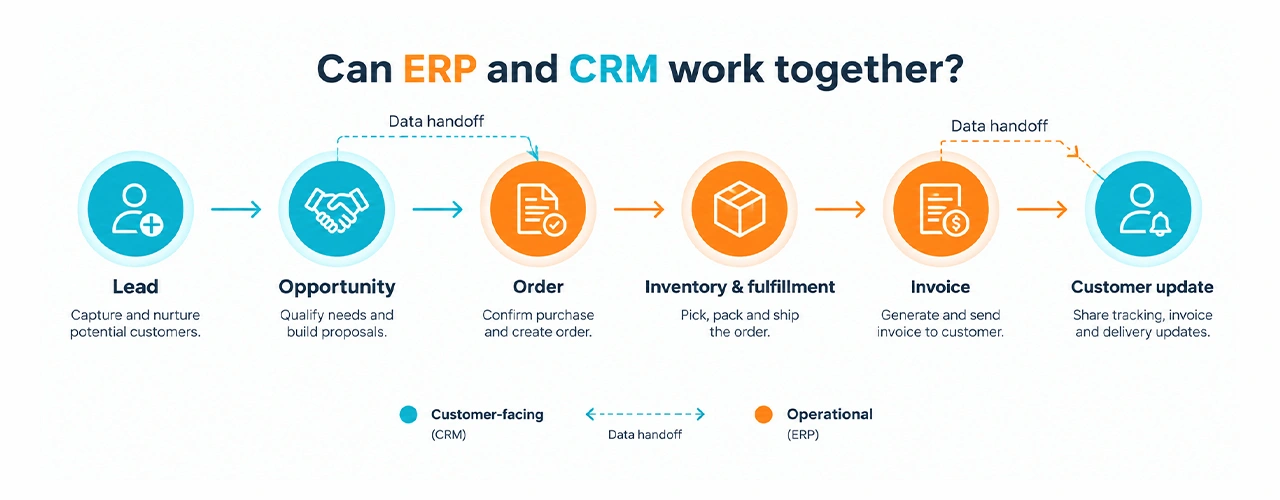
Can ERP and CRM work together?Yes. The common connection is between the sales process and the order-to-cash process. A CRM may hold the account, contact and opportunity. Once a deal becomes an order, the ERP may handle inventory, fulfillment and invoicing. Relevant order status can then return to the CRM so the customer-facing team can give an accurate update.

That information flow can reduce re-entry and give teams a clearer view of commitments and delivery. Microsoft documents an example in which Dynamics 365 Sales orders can synchronize with Business Central for invoicing and fulfillment. The exact fields and timing depend on the products and integration design.

Before connecting systems, agree on four things: which system owns each record; which fields move in each direction; how duplicates and failed updates are handled; and who can see or change sensitive information. Syncing two messy contact lists will create a larger mess. Start with clean identifiers and a small, tested data flow.


What does ERP or CRM really cost?

The subscription or license is only one part of the cost. Budget for setup, data cleanup and migration, integration, configuration or customization, training, ongoing support and future changes. ERP projects can be especially involved when several departments must change how they record transactions. A CRM rollout can also become expensive if teams require complex automation, historical data or many connected tools.

Compare options using a defined period, such as three years, and include both initial and recurring costs. Then identify measurable outcomes: fewer missed follow-ups, less order re-entry, faster month-end close or fewer stock corrections. Treat those as targets to validate, not guaranteed returns. Ask providers what happens to pricing as user counts, storage and required modules grow.

Common mistakes when choosing business software

  • Buying the longest feature list. Rank actual workflows and exceptions before reviewing demonstrations.
  • Treating implementation as an IT-only task. Sales, finance and operations staff need to help define records, approvals and reports.
  • Migrating poor data unchanged. Agree on ownership, naming and duplicate rules before importing it.
  • Assuming integration is automatic. Check the available connectors, APIs, sync frequency and failure handling.
  • Customizing too early. Test whether a standard workflow meets the underlying business need before paying to replicate an old process.
  • Skipping adoption and security planning. Define role-based access, train users on their daily tasks and assign an owner for the system after launch. Microsoft’s implementation guidance includes training, data migration and security roles among go-live considerations.

How to select the right solution

Create a shortlist using a simple set of requirements:

  • The three workflows that must improve, with a current baseline for each.
  • The records that matter and the person or system responsible for each one.
  • Required connections to existing finance, ecommerce, email or service tools.
  • Reporting needs, including who will act on each report.
  • Access controls, data protection and any applicable retention requirements.
  • Total expected cost, implementation support and a credible path to add users or functions.

Run a pilot using real but appropriately protected data. Ask the employees who will use the tool daily to complete ordinary and difficult tasks. A convincing sales demonstration is less valuable than seeing your team process an actual exception.

TechHaz can help businesses map these workflows, assess ERP and CRM requirements, and plan integration and automation. The useful starting point is a clear process and data map, regardless of which software is eventually selected.

FAQ's

Is ERP better than CRM?

Neither is better in general. ERP and CRM solve different problems. Compare the cost of your current operational errors with the cost of missed sales and customer follow-ups, then prioritize the larger, better-defined problem.

Yes. Many businesses connect customer and opportunity data with orders, fulfillment and invoices. Decide which system owns each field and test the connection before rolling it out widely.

Some do; some can manage well with simpler tools. A small business with frequent sales inquiries may benefit from CRM, while one with complex stock or production may need ERP capabilities. Start with the work that has outgrown current tools.

Finance, accounting, operations, procurement, warehousing, supply chain, production and HR may use ERP, depending on the modules implemented.

Sales, marketing, account management and customer service commonly use CRM. Managers may use its reports to review pipeline activity and customer issues.